
Filed under
Date published:
March 6, 2024
The Power of Pinterest for Growing Your Email List
Every time you’ve heard the phrase “the riches are in the niches”, you’ve probably also heard the phrase “the power is in your email list”. Or at least you should have heard that because it’s true! Email is an incredibly powerful tool for nurturing and selling to your audience. If you’re not using Pinterest to grow your email list, you’re missing out on a huge opportunity to connect with your audience on a more intimate level. Keep reading to learn how to use Pinterest for growing an email list!
📌 Pin it for later 👇
The Power of Growing an Email List and Email Marketing
I once heard Ashlyn Carter of Ashlyn Writes say, “In a fire, the first thing I’m grabbing is my email list.” It made me chuckle at the time. Since then, I’ve grown a similar attachment to my own email list. It’s a very unique way for you to connect 1:1 with your audience in their inbox (instead of a busy, oversaturated social media platform), update them on everything going on in your world, invite them to reply, and sell to them.
Here are a few stats on email marketing in case you aren’t already convinced of its power:
- For every $1 spent on email marketing, $44 is made in return, according to a study by Campaign Monitor, which equals a 4400% ROI
- 99% of Email Users Check Their Email EVERY DAY
- 59% of B2B marketers cite email as their top channel for revenue generation
- Shoppers spend 138% more when marketed through email as compared to those who do not receive email offers
Source: 40+ Email Marketing Statistics You Need to Know for 2024 (Opt In Monster)
I think it’s safe to say that growing an email list should be top priority, especially if you’re tired of being at the mercy of social media platforms like Instagram and TikTok.
How to Use Pinterest To Grow Your Email List
Pinterest is what we call a top-of-funnel strategy. This means that people are likely to find you for the first time there. It’s also a search engine, which means people are searching for content and inspiration surrounding the projects and purchases they are planning.
First, I’d recommend doing keyword research to discover what kinds of things your ideal client or customer might be searching for. Do this directly on Pinterest! See what other search terms start populating in the colored bubbles, as shown below. If you’re up for performing a more in-depth search, check out my favorite Pinterest keyword tool, Pin Inspector!

These keywords can be great inspiration for creating a free resource (aka lead magnet) to give people in exchange for signing up for your list. For instance, if you are a podcast manager, a PDF guide titled “47 Binge-Worthy Topic Ideas for Your Podcast” might be a great one since people are already searching for “podcast topic ideas.” Get creative and think about how you can best serve your audience in what they are already searching for. Quick wins in the form of free templates, swipe files, and masterclasses all do really well on Pinterest.
Create a Landing Page for Your Freebie/Opt-In
Since your freebie/lead magnet(s) are going to be a core list-building strategy, I’d HIGHLY recommend creating a page for each one (yes, you can have multiple!) on your website. This not only can be a great way to rank those pages in Google search engines, but it creates more URLs for you to pin to. While you definitely can pin to a third-party-hosted link like a Flodesk or Kit landing page, I recommend creating these on your own website and embedding the form there instead for two reasons:
- Sending traffic to your own website is always better than sending it somewhere else. For your SEO, user experience, and just as a general best practice, keep them on YOUR site.
- Pinterest prioritizes content linked to your claimed domain. This refers to the website you’ve claimed on your Pinterest business account as opposed to any other URL that’s not yourwebsite.com/whatever-the-page-title-is. If you need help setting up your business account, check out this article.
On your opt-in page, consider including the main benefits they’ll receive inside the free resource, specific outcomes it will help them achieve, and introduce yourself and what you do to establish your authority.
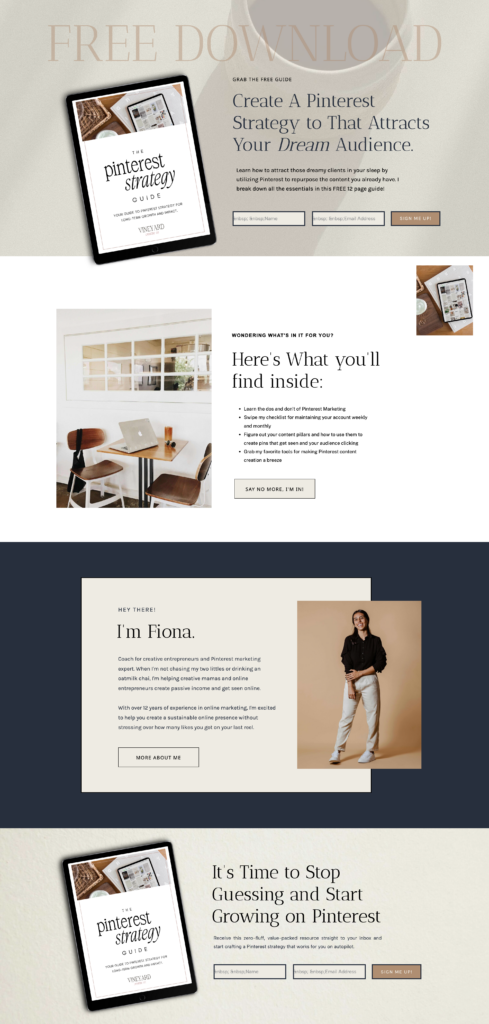
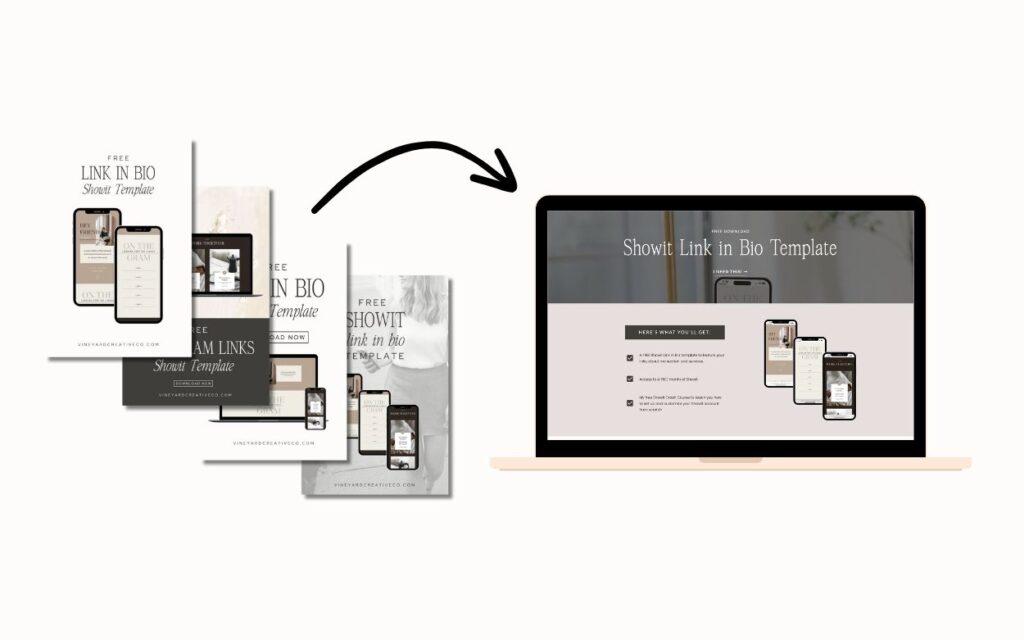
BONUS POINTS: Include a testimonial or two from someone who has used and loved the resource themselves!You can check out my opt-in pages for my Showit Link-in-Bio Template and Pinterest Strategy Guide for some inspiration, or take a look at this template I’ve made as part of the Passive Income Funnel Showit Template Bundle (coming to the shop soon!).
Blogging for Email Growth
Your blogs are a great place to start growing your email list and increasing downloads of your free resource. Think about some blog topics that will naturally tie into your free resources and start writing those. Here are just a few ways to encourage opt-ins from your blog readers:
- Link to your resources and/or newsletter casually throughout the post. Notice how I did that inside this post? I used my opt-in pages as an example and, of course, hyperlinked them. Anyone interested in my freebies (which complement most of my content!) might sign up while they check them out. Internal linking (linking to other pages on your website) is great for your SEO, too, so this is always a great strategy to implement.
- Include a Call-To-Action to sign up for your free resource at the end of each blog post. This one’s simple! If the next logical step is for them to access this resource, encourage them to do so by adding an image of the freebie and linking to the page where they can download it.
Add links to your opt-ins and newsletter in your blog sidebar and footer. This way, your audience will see your free resources while they read, even if you’re not directly linking them inside the blog post. Below are a few examples from my footer and a client’s blog sidebar:


Start Pinning To Your Email Opt-Ins
And now…we pin! I like to create 4-5 pins that lead directly to my opt-ins about once a month, in addition to my blog content and product pins. This fits into my regular Pinterest content creation schedule and ensures I’m always building my list! Don’t be afraid to continually pin to these opt-ins, but give them a rest and alternate between a couple of different ones if you have them. The main thing is to avoid pinning to the same URL more than once per day.
Ready to Take Your Pinterest Strategy to The Next Level?
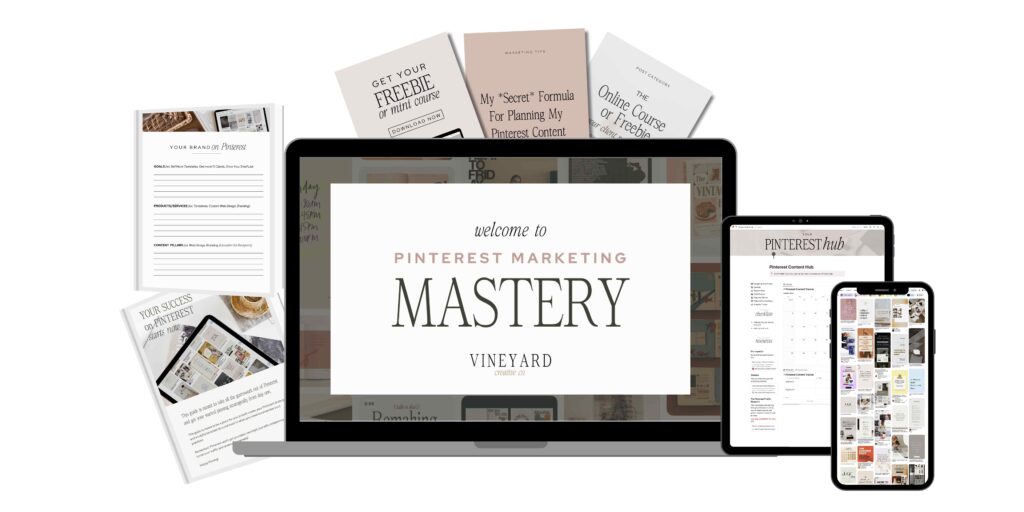
My new course, Pinterest Marketing Mastery, is launching soon! This zero-fluff, in-depth course will show you all the ins and outs of creating a Pinterest Marketing Plan AND ensuring your website and funnel are ready to convert that traffic effectively. Keep an eye out for the launch!
*This blog post may contain affiliate links. I never recommend anything I don’t personally love and use myself for my clients or in my own business!
Some links across my website may be affiliate links, meaning I receive a portion of any sales made through them. I never recommend any product or service that I don't wholeheartedly believe in and use in my own business.
